
- LagVolt | Gaming VPN
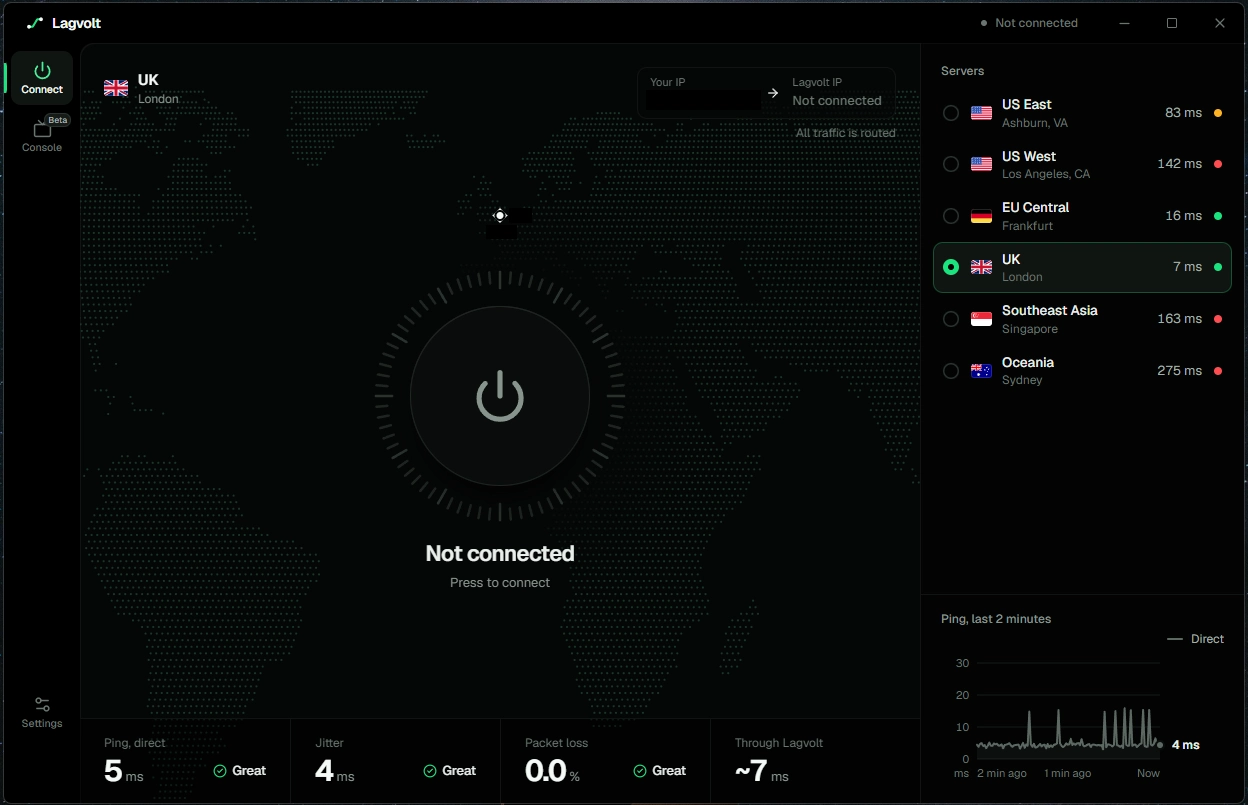
- Take control of your gaming connection with LagVolt. Choose your preferred region and connect securely through our gaming VPN servers.
- FEATURES
- ✓ 6 Server Locations: London, Frankfurt, New York, Los Angeles, Singapore and Sydney.
- ✓ One-Click Connect: Choose your preferred region and connect instantly.
- ✓ IP Protection: Route your connection through LagVolt and view your IP before and after connecting.
- ✓ Split Tunneling: Route all PC traffic or game traffic only.
- ✓ WireGuard: Modern, fast and encrypted VPN technology.
- ✓ Console Support (Beta): Smart DNS for PlayStation, Xbox and Nintendo Switch, or share your PC's VPN connection.
- ✓ Easy-to-Use App: Simple interface with quick server switching.
- REQUIREMENTS
- • Windows PC (64-bit)
- • LagVolt account
- • One connected device at a time
- HOW TO ACTIVATE
- 1. Download LagVolt at https://lagvolt.com/download
- 2. Create an account or sign in.
- 3. Open Settings > Account > License Key.
- 4. Enter your purchased key and select Redeem.
- 5. Your subscription begins immediately.
- IMPORTANT INFORMATION
- • Subscription time begins upon redemption, not purchase.
- • Additional keys can extend your subscription.
- • VPN performance and matchmaking regions depend on the game and network.
- • Console features are currently in Beta.
Lagvolt - Gaming VPN
موجود
موجود
ناموجود
نوع
پرداخت امن
تحویل فوری
پشتیبانی 24/7